FoodSafetyNet for food safety trainersTeach on a real, working copy of the app

Give every trainee hands-on experience of a live food safety system — from daily checklists to a full HACCP plan — on their own practice account, all set up and controlled from one console.
What you get
One trainer plan — the same price as the Enterprise plan — covers your whole class, plus a real site of your own.
One training console
Create, manage and monitor every trainee account from a single screen — no IT setup, no licences to juggle.
Up to 30 practice accounts
Run a full class at once. Each trainee gets their own independent, working copy of the app — not a shared sandbox.
Set the tier for each account
Show a class Tier 1 (R638 Essentials), Tier 2 (SANS 10049) or the full Enterprise (FSSC 22000 aligned) plan — match the level you're teaching.
Start blank or from example data
Begin from an empty site, or from worked example data for a bakery, dairy, canned/bottled goods or butchery, so a lesson has something real to work on.
Your own real Enterprise site
Included in the plan — a genuine Enterprise (FSSC 22000 aligned) site of your own for your own records, separate from your trainees' practice sites.
A trainer's guide
A step-by-step Getting Started guide for trainers comes with the plan, so you're productive from the first session.
How a training session works
From an empty console to a class practising on the real app, in minutes.
1 — Create the accounts
Spin up one practice account per trainee from the console. Pick blank or example data.
2 — Choose tier & role
Set each account's tier, and the trainee's role: Floor Staff, QA Team Member, Production Manager, Site Manager or a read-only Auditor.
3 — Share sign-in links
Each trainee gets a link that logs them straight in — no accounts to set up, no passwords to hand out.
4 — They practise
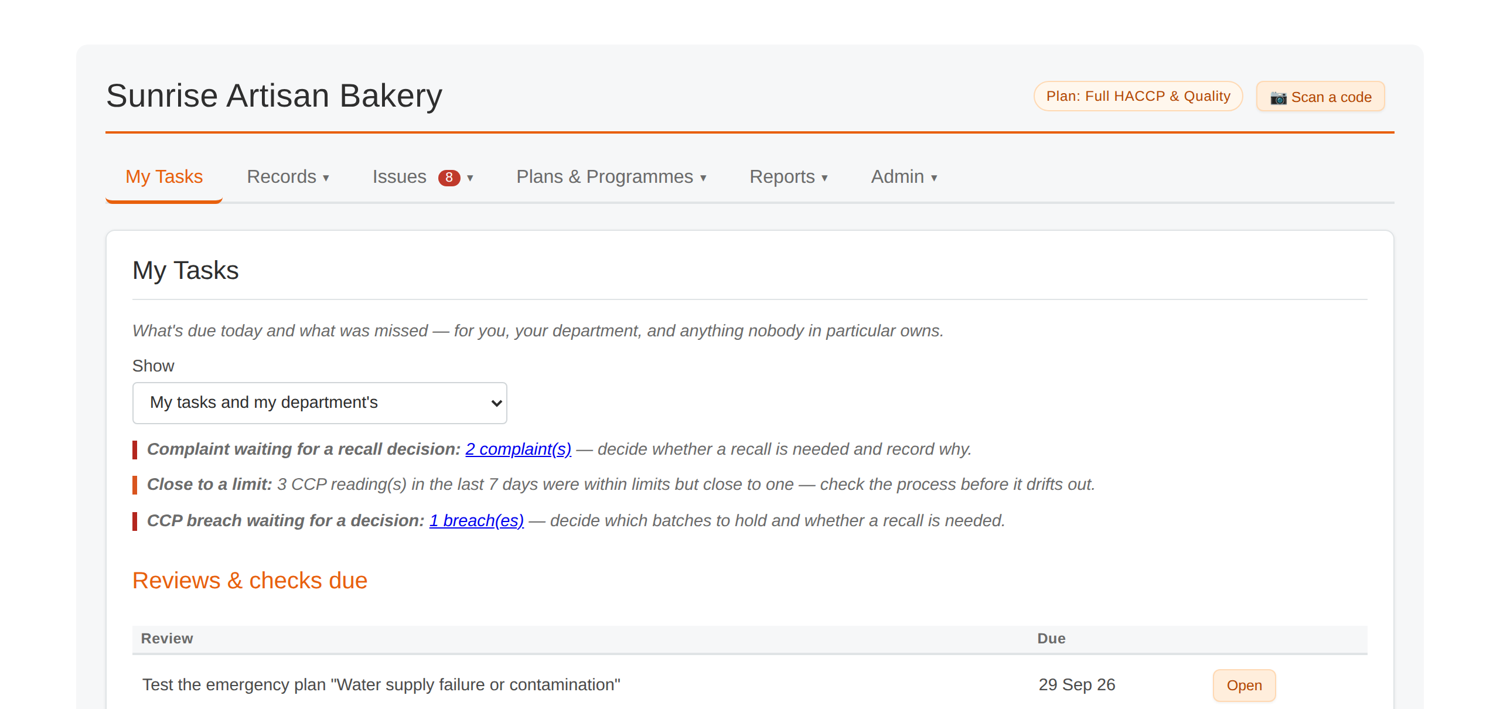
Trainees work in a real, working copy of FoodSafetyNet — running checklists, logging readings, building a HACCP plan — and you follow progress from the console.
5 — Accounts expire
Practice accounts are deleted automatically 30 days after they're created, so nothing lingers and the next class starts fresh.
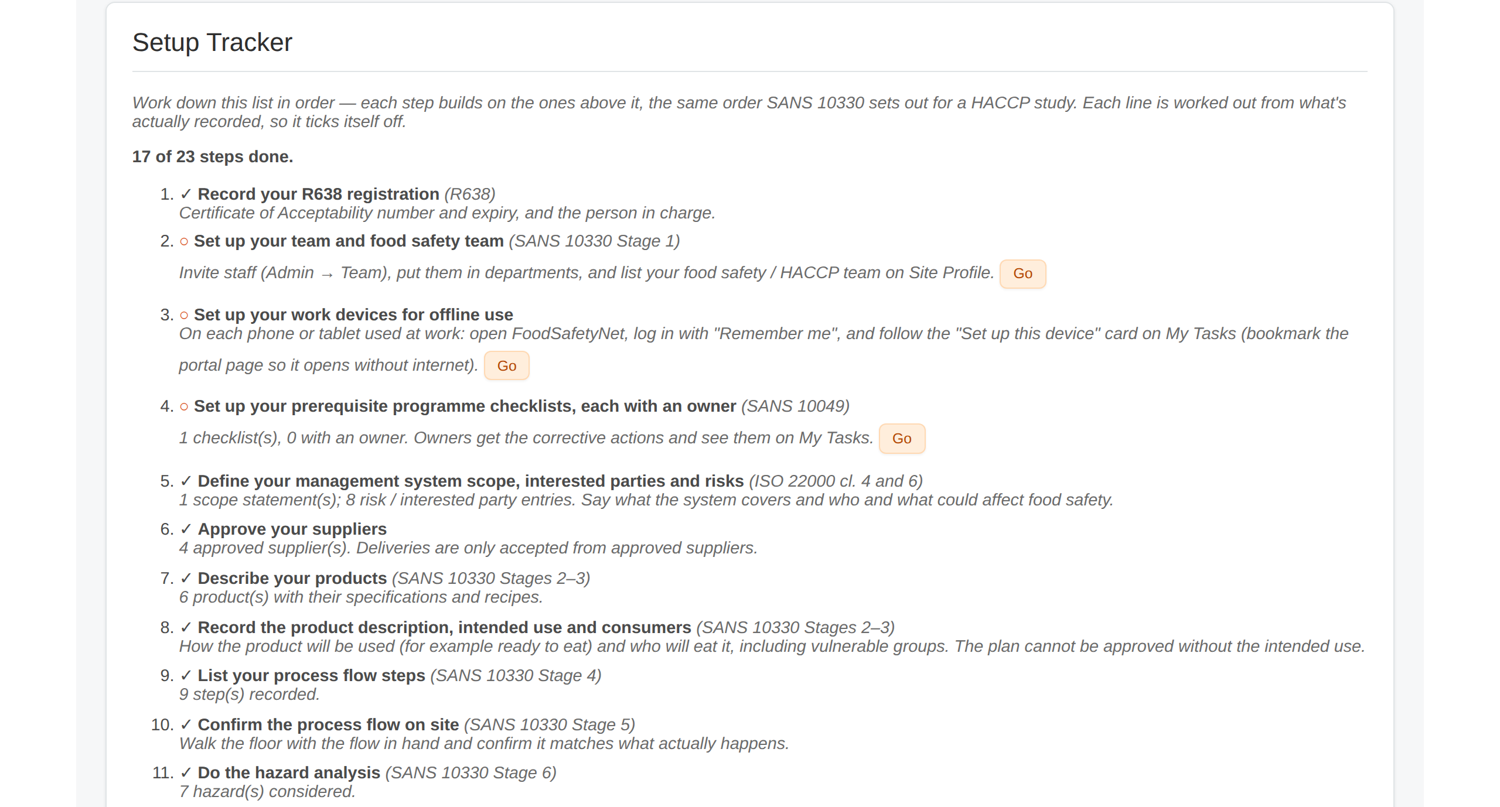
Build your course once, reuse it for every class
Set up a course the way you teach it — products, recipes, a HACCP plan, whatever your syllabus needs — in one of your practice accounts, then save it as a named template of your own from the Template Library.
- It sits alongside the built-in starter templates (Bakery, Dairy, Canned/bottled goods, Butchery, Dry/Ambient Packaged Goods, Frozen Packaged Products, Bottled Beverages) when you create a new trainee account.
- Every trainee starts from your course material — each with their own independent copy to work in and make mistakes in.
- It's private to you — other trainers never see it — and you can save, reuse or delete it at any time.
Trainer pricing
Or R2,400/year paid once-off — the same price as the Enterprise plan. First 3 months free, and no credit card needed to sign up. Your 3-month free trial starts when you sign up.
What's included
- Up to 30 live trainee practice accounts at a time
- Your own real Enterprise site
- Set tier and role per trainee
- Your own saved course templates
- A step-by-step trainer's guide
Practice accounts are for training only, so please don't enter a real business's data in them. Your own site, created from your trainer console, is the place for your own records.
Trainer FAQ
How many trainees can I run at once?
Up to 30 live practice accounts at a time. As accounts expire (30 days after creation) they free up, so you can run class after class on the one plan.
Do trainees need to create their own accounts?
No. You create each practice account from the console and share a sign-in link that logs the trainee straight in — no sign-up, no passwords to distribute.
What happens to a trainee's practice data?
Each practice account is independent and is deleted automatically 30 days after it's created. Practice accounts are for training only — they shouldn't hold a real business's data.
Can I build and reuse my own course templates?
Yes. Build your course setup — products, recipes, a HACCP plan, whatever you need — in one of your practice accounts, then save it as a named template of your own from the Template Library. It sits alongside the built-in starter templates when you create a new trainee account, so every trainee starts from your own course material, each with their own independent copy. It's private to you, and you can save, reuse or delete it at any time.
Can I choose what each trainee sees?
Yes. Set each account's tier (Tier 1, Tier 2 or the full Enterprise (FSSC 22000 aligned) plan) and the trainee's role — Floor Staff, QA Team Member, Production Manager, Site Manager or a read-only Auditor — so the app shows exactly what that lesson needs. See the full tier comparison.
Do I get a real site of my own?
Yes — one real Enterprise site of your own is included in the plan, kept separate from your trainees' practice sites, for your own records.
How much does it cost, and is there a free trial?
The trainer plan is the same price as the Enterprise plan: first 3 months free, then R250/month or R2,400/year paid once-off. No credit card is needed to sign up, and your free trial starts when you do.
Teach food safety on the real thing
Sign up as a trainer — 3 months free, no card — or see the app in action first.
Inquiries info@food-safety.net · Tel 083 454 1857